
What's new
The headline changes in each version of Icon Map Pro, with links to the pages that explain them.
For every change and fix in each version, see the Release notes.
Version 1.1.0.10
Version 1.1.0.10 introduced the Modern map engine and everything that depends on it.
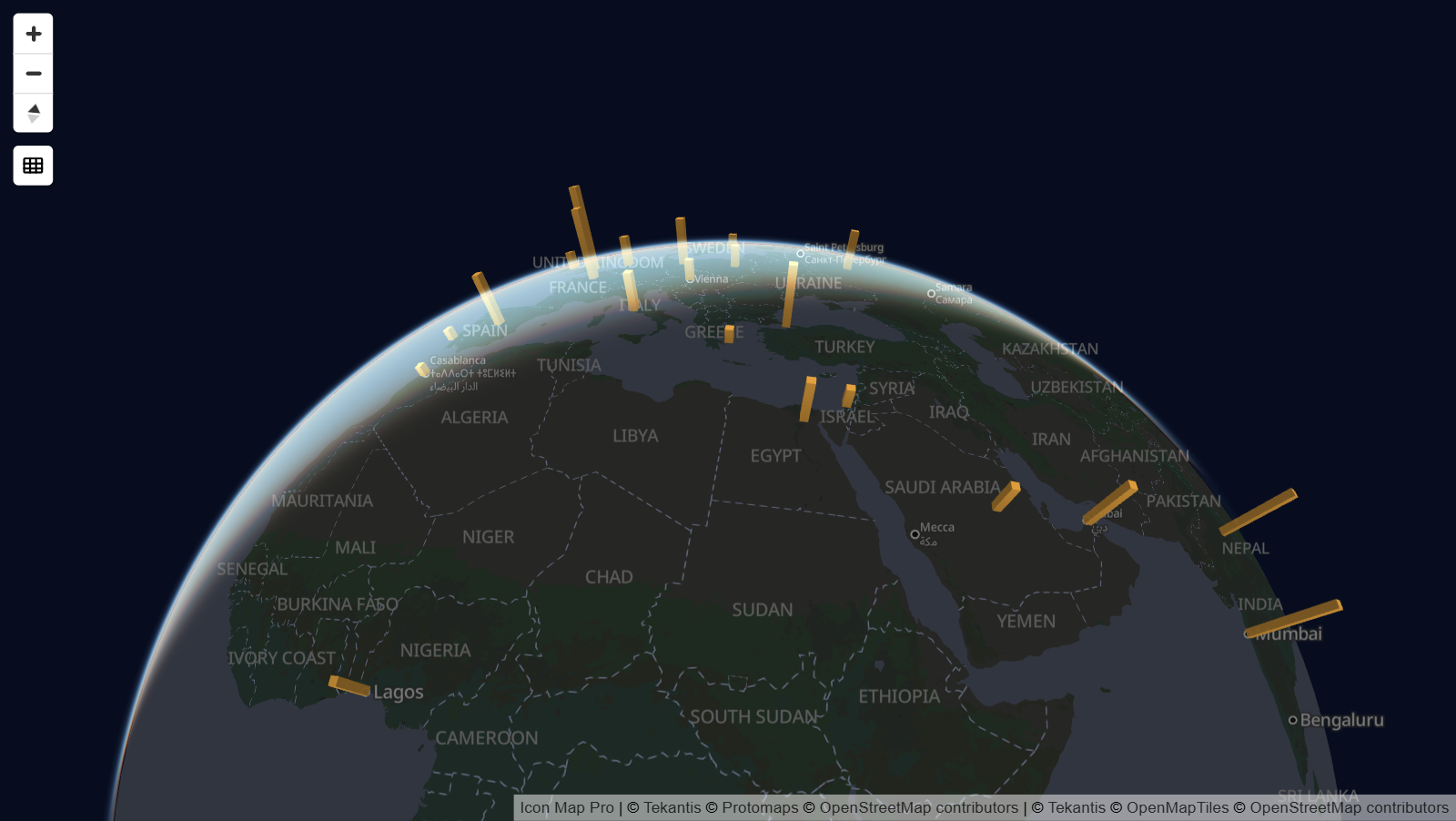
The Modern engine
- New maps use the Modern engine automatically. Existing maps stay on the Legacy engine unless you switch them in Format pane > Rendering > Map engine.
- Globe projection, with a button on the map to switch between the globe and the flat map.
- Tilt and rotate the map, and set the pitch and bearing it opens with.
- 3D terrain, hillshade over any basemap, and sky and light settings.
- An Antialiasing setting for smoother edges.
See Modern and Legacy engines, View, zoom and projection and Terrain, hillshade, sky and lighting.
New ways to draw data
- 3D columns: a column at each point, with its height set by the Column Height field. See 3D columns.
- New line shapes: Flow Arcs, Flow Tree, Routes and 3D lines, plus dash patterns that can differ on each row and animate. See Lines and Routes.
- More cell grids: S2, A5 and Geohash alongside H3, from coordinates or from cell IDs, and custom shapes that count points inside polygons you upload. See Cells: H3 hexagons and grids.
- Label styles: Glass, Dark Glass, Card, Neon and Halo Text, with titles, images and footers, and labels that appear on mouse over or when selected. See Data labels.
Help while you build
- The "What kind of map are you making?" guide appears when your rows do not reach a layer. It shows which fields each layer type needs and turns a layer on when you pick it. See Choose a layer type.
- Blank text cells now count as empty, so tables from CSV files, Excel and Power Query can feed several layers without extra measures. See Combine several layers in one map.
Languages
Icon Map Pro is available in German, Spanish, French and Portuguese as well as English. The visual follows the language of the Power BI report throughout: the Build and Format panes, the map controls, the legend, dialogs and messages. See Languages.
Selection and performance
- The pointer changes over items that can be selected, and selecting a selected item again clears the selection.
- Lines from WKT and 3D shapes highlight when selected.
- Formatting changes no longer redraw data that has not changed, and highlighting large selections is quicker.
See Selection, cross-filtering and highlighting.
Changes to be aware of
- The Modern engine and Icon Map basemaps need WebGL 2. See Supported environments and limits.
- New maps zoom to fit their data with 50 pixels of padding. Existing maps keep their padding.
- Lines that do not have both an origin and a destination are no longer drawn.
Earlier versions
Version 1.1.0.9 and earlier are covered by the documentation for 1.1.0.9 and earlier. The Release notes list every version.