

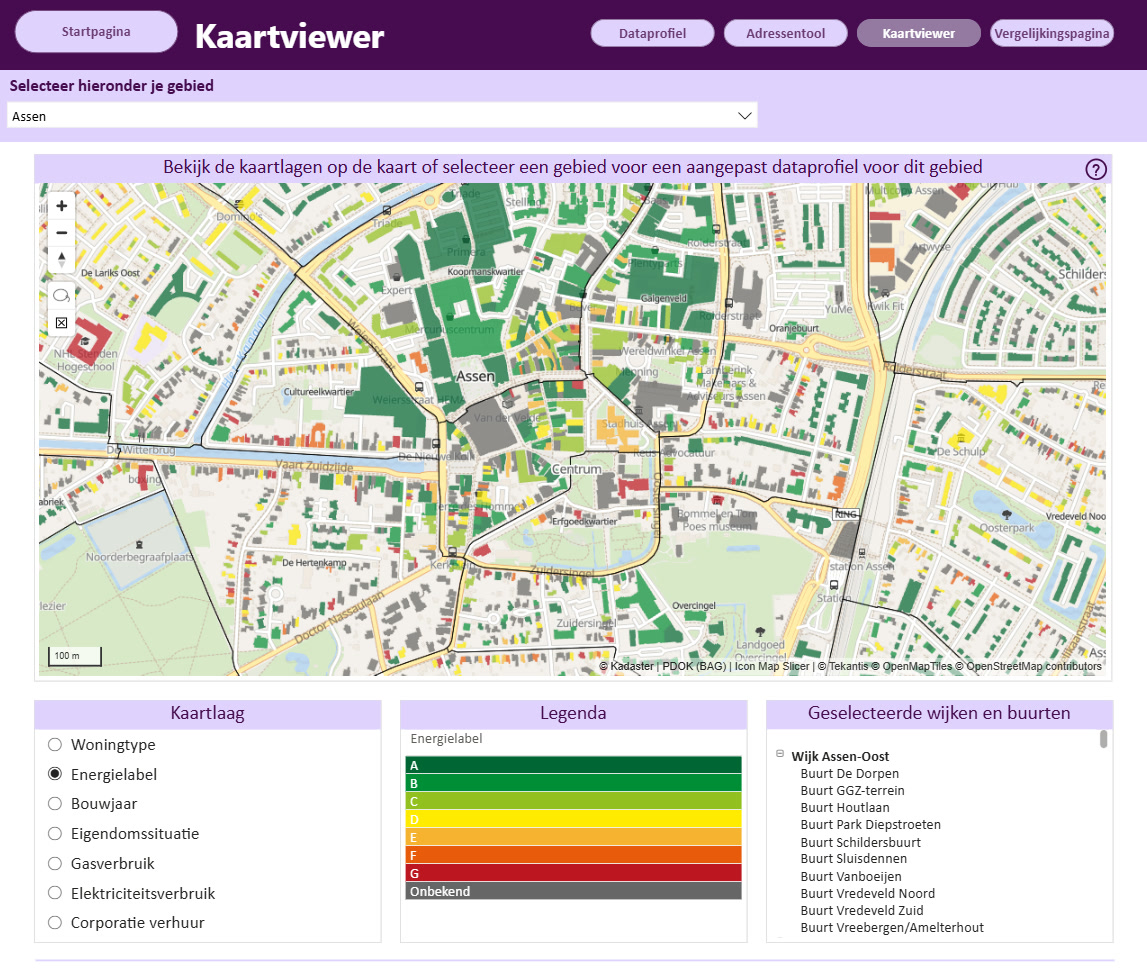
Turning Every Building in Drenthe Into a Filterable Energy Map
For the Province of Drenthe, seeing energy data building by building opens up a much clearer picture of what is happening on the ground.
Industry solutions · Logistics
Logistics runs on where things are: trucks on the motorway and at the gate, trailers in the yard, doors in use, stock on its way. Icon Map puts all of it on one interactive map, inside the Power BI reports and Microsoft Fabric workspaces you already use.
A real 126,000 m² distribution center in Venlo, with an illustrative operator and traffic · aerial photo: Beeldmateriaal Nederland (PDOK), CC BY 4.0 · buildings: BAG, 3D BAG · map data © OpenStreetMap contributors · 3D vehicles in Icon Map for Fabric
Operations you can see
Telematics, yard management, dock scheduling and warehouse systems already put every truck, trailer and door in your data platform. Icon Map shows them where they are, so a site manager sees the yard, not a table: which doors are free, how long the gate queue is, which trailers have waited too long, which carriers are late.
Build site and network reports in Power BI with Icon Map Pro, or bring live telematics, 3D vehicles and playback together in Microsoft Fabric with Icon Map for Fabric. One organization-wide license, no extra GIS software.
Distribution center · Venlo, the Netherlands
A real 126,000 m² distribution center at Venlo Trade Port, with its 158 dock doors and 152 yard bays read from the 8 cm aerial photo. Trucks arrive from the A73 and the A67, check in at the gate, and reverse onto the doors or drop their trailers in the yard for the shunters; vans load at the van doors. The operator and the traffic are illustrative.
Site: Venlo Trade Port Noord, building footprint from the BAG (Kadaster), heights from 3D BAG, the doors and yard bays measured on the 2026 aerial photo (Beeldmateriaal Nederland, CC BY 4.0, via the Icon Map Catalog), roads from OpenStreetMap. The operator ("Veldmark Logistics"), its trucks and its traffic are fictional and simulated. 3D vehicles, playback and live feeds are features of Icon Map for Fabric.
Outbound network · Venlo to the Netherlands, Flanders and North Rhine-Westphalia
One day's deliveries from the distribution center to its stores, on real roads: today's plan, drawn by territory, against a plan optimized across the whole network for time windows, truck capacity and drivers' hours. Drag the clock or play the day to watch the trucks run it.
Road network and store sites from OpenStreetMap (Geofabrik extracts), stores named generically. Routes planned on a 40-tonne truck road graph with EU drivers' hours, 33-pallet trailers and each store's delivery window. In Icon Map for Fabric the same routes, stops and positions sit in OneLake, with the plans side by side and a time slider; in Power BI, Icon Map Pro draws the routes and stops from your planning tables.
How it works
Telematics and GPS, the gate and yard management system, the dock schedule and the warehouse system, into Microsoft Fabric through Eventstream or Data Factory.
Your sites from the Icon Map Catalog's aerial photos and buildings, doors and bays as map features, your fleet as 3D vehicles that steer and articulate.
Door and yard boards, gate queues and turnaround beside the map, with cards that follow each truck, filtering together in your Power BI and Fabric reports.
Across sites, fleets and networks
Door occupancy, trailer dwell and yard density, shunter jobs and the gate queue, on the site's own aerial photo, door by door.
Every truck and van live from telematics, with ETA against the slot, late arrivals and detention flagged as they happen.
Lanes, stops and drive times on real roads, depot catchments and what a new site or cross-dock would change.
Time from gate in to gate out, by carrier, door and hour, with the trucks that waited longest shown where they waited.
CO2 by lane and carrier, idling in queues and on site, and where electric trucks and chargers would cut the most.
Speeding and near-misses in the yard, restricted zones and gate exceptions, beside the people and vehicles involved.
Closures, congestion and severe weather against your lanes and sites, and the shipments at risk, as it changes.
Cost, volume and margin by lane, customer and region, on the map, so the network decisions are made where the money is.
Our customer success stories
For the Province of Drenthe, seeing energy data building by building opens up a much clearer picture of what is happening on the ground.

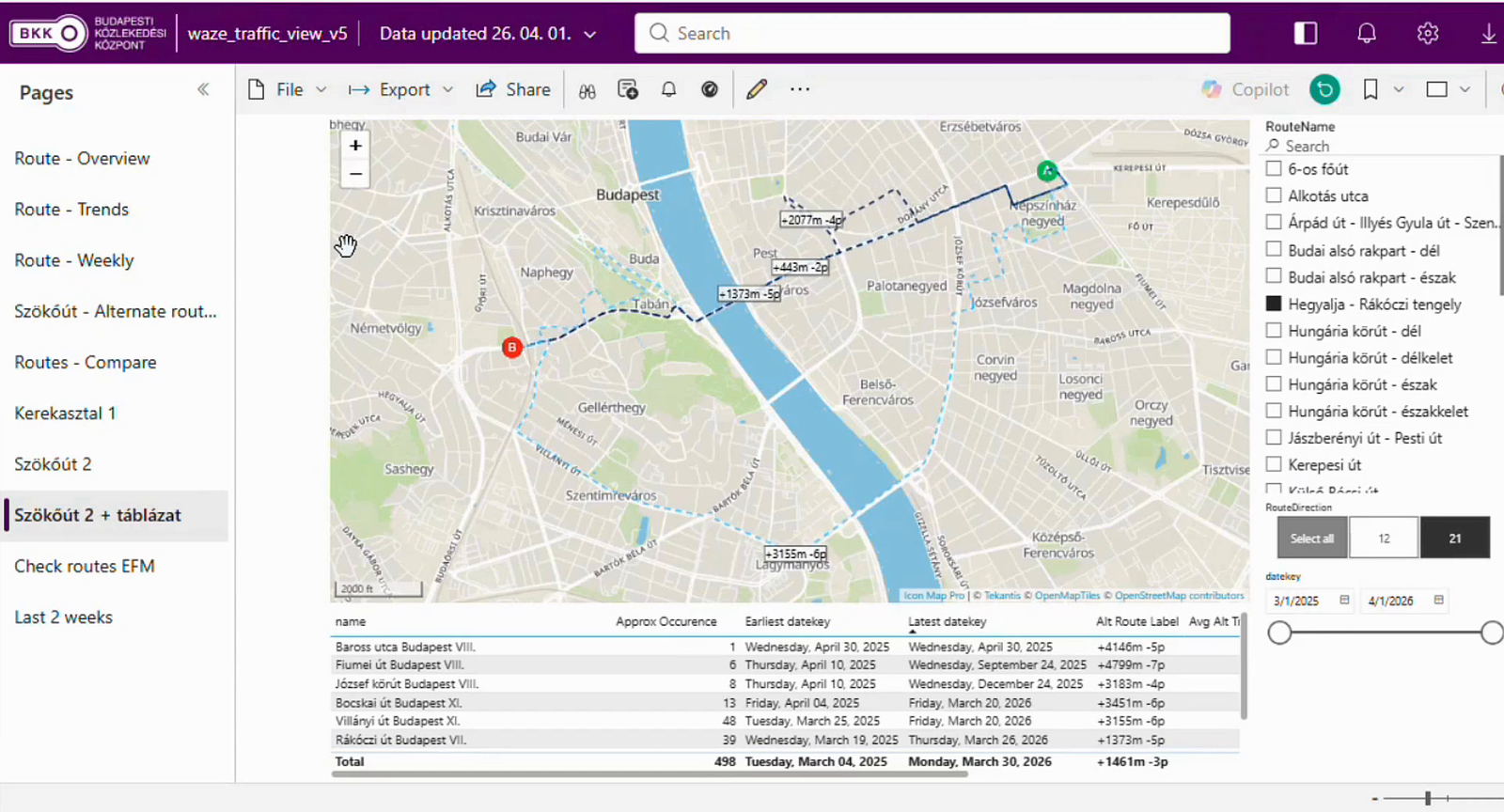
BKK, the Centre for Budapest Transport, is the organization behind the trams, buses and trolleybuses that move people around Hungary's capital, and its remit reaches well past the vehicles themselves. It also coordinates the city's shared bikes and e-scooters…

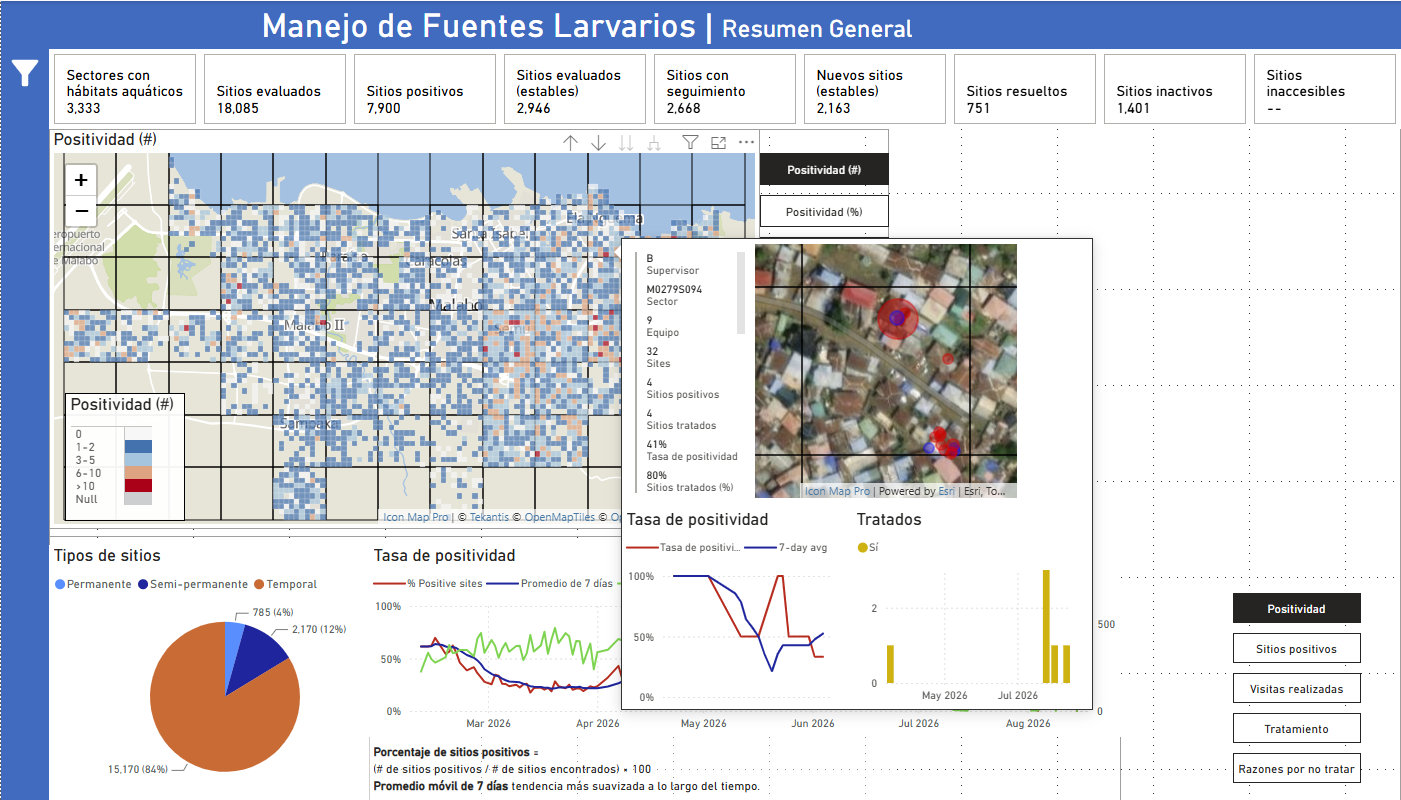
MCD Global Health is a public health nonprofit headquartered in Maine, working across more than 50 countries to design and implement health programmes that genuinely change lives. Their international work spans malaria, cervical cancer, health systems strengt…
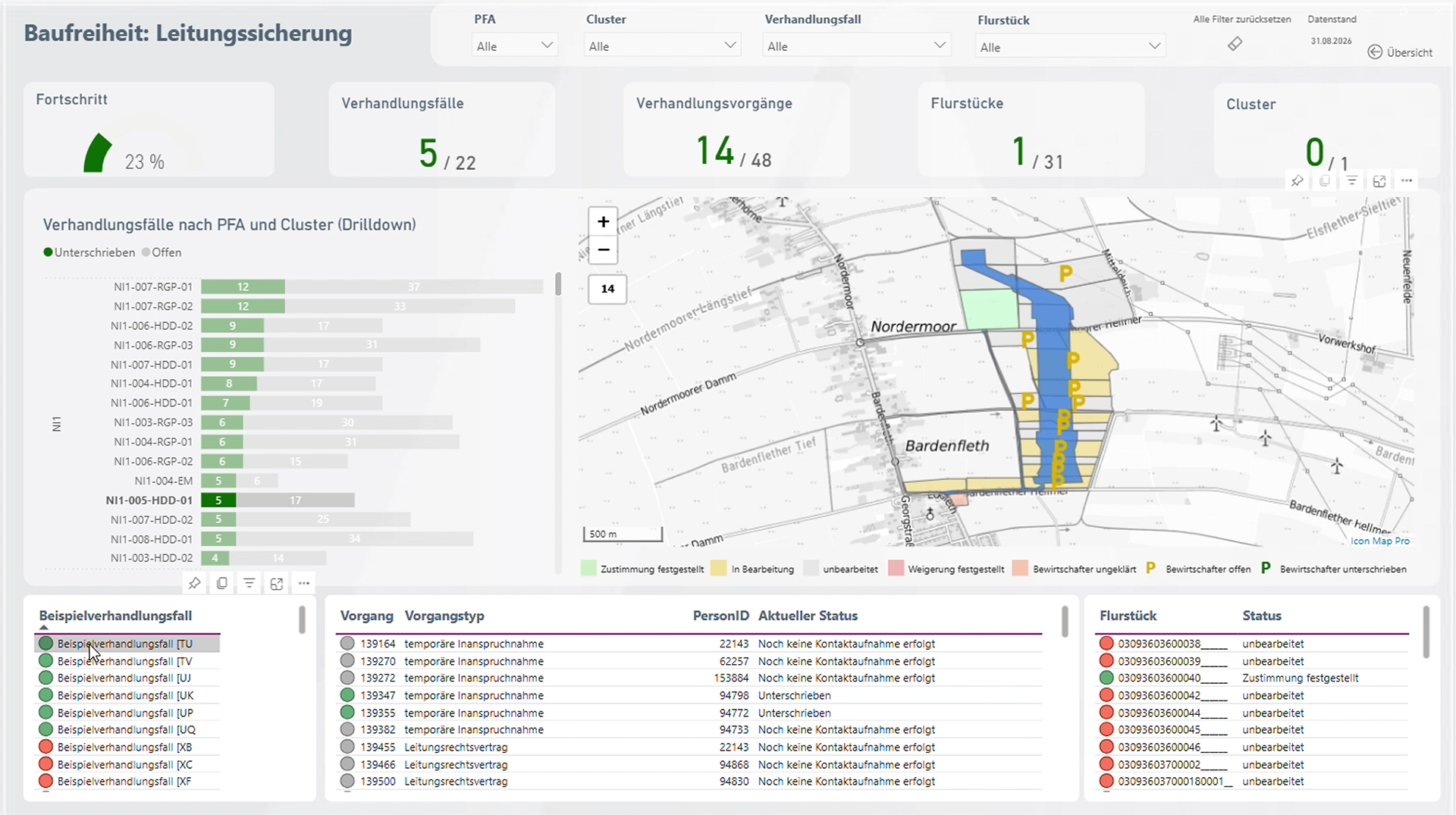
Amprion is one of Germany’s four transmission system operators, responsible for operating and expanding a critical part of Germany’s high-voltage electricity grid. Among its major infrastructure programmes is the Rhein-Main-Link, a planned underground HVDC c…

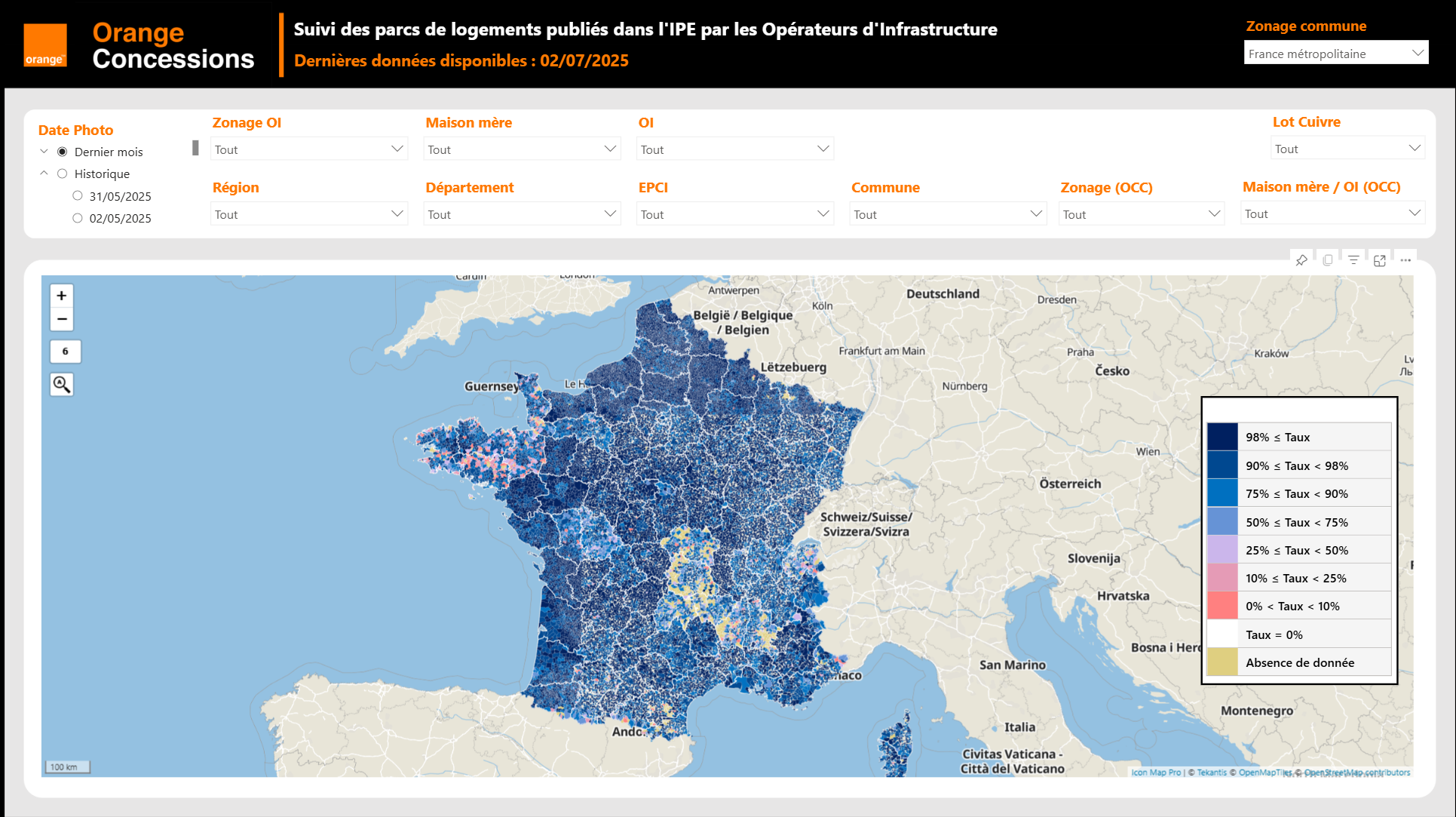
Orange Concessions is the leading public-private fiber network operator in rural France. Through long-term public service delegation contracts, it manages a rapidly expanding network infrastructure designed to bring high-speed broadband access to underserved…

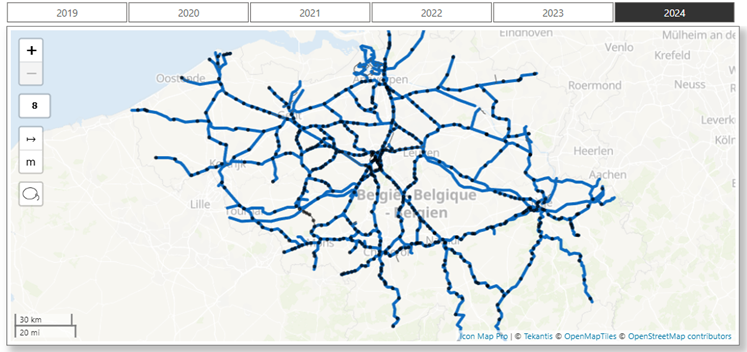
Safety is a cornerstone of SNCB’s operational strategy. As Belgium’s national railway operator, SNCB places significant emphasis on the safety and security of both passengers and staff. CEO Sophie Dutordoir recently stated that all employees' work "deserves r…
Build site and network reports in Power BI with Icon Map Pro, or bring live telematics, 3D vehicles and playback together in Microsoft Fabric with Icon Map for Fabric.
Icon Map for Microsoft Fabric is in private preview - join the wait list to run these analyses on your own data.Icon Map for Microsoft Fabric is generally available - start a free 30-day trial from inside Fabric or buy a plan to run these analyses on your own data.