
License messages
When an Icon Map item is not covered by a license, a message opens over the map and stays until a license is in place. This page explains each message and what to do.
The license message over the map
When an item is not licensed, the map shows behind a message that cannot be closed. Only the basemap and your own Fabric data are drawn behind it, and you cannot work with the map until a license covers the item. Your maps and data are untouched, and the map works again as soon as a license is in place.
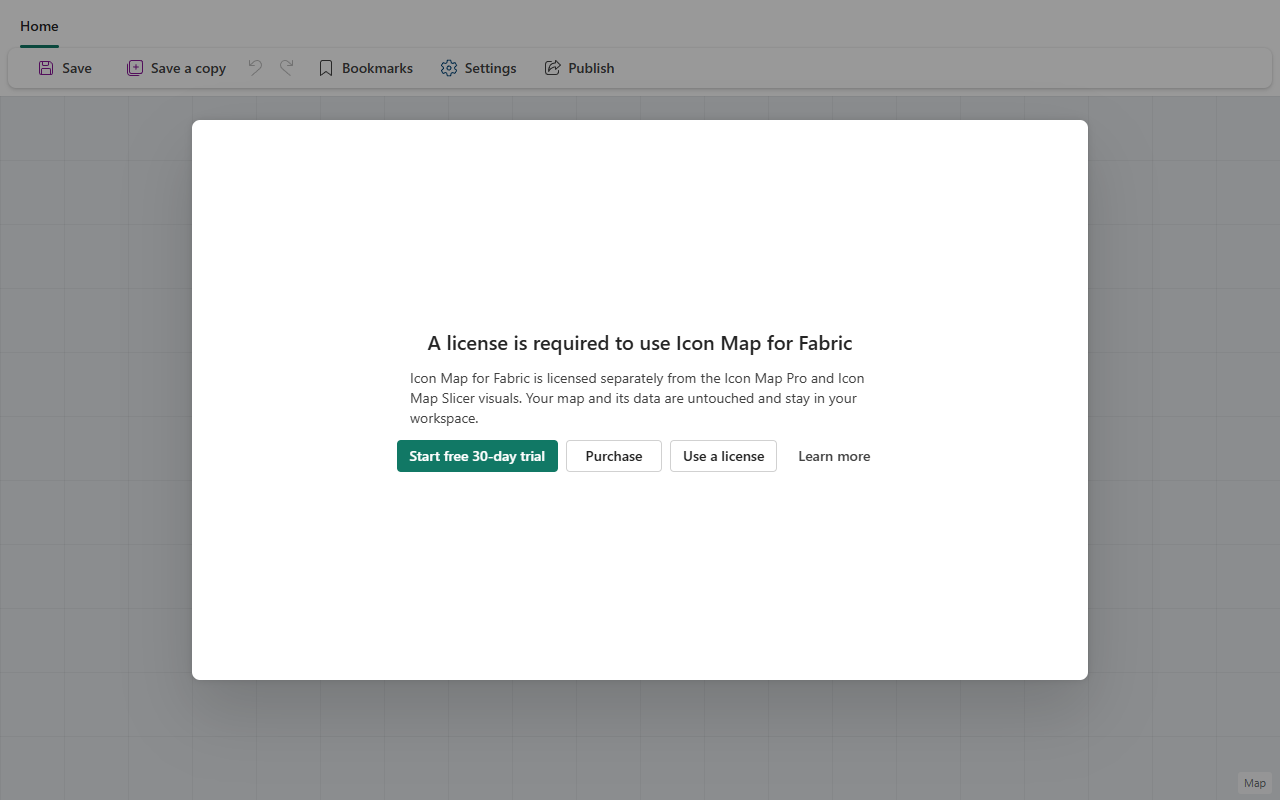
The buttons depend on who you are and the state of the license:
| Button | Who sees it | What it does |
|---|---|---|
| Start free 30-day trial | Editors, where a trial is available | Starts a trial for this workspace. See Free trial |
| Purchase | Everyone | Opens the options for buying Icon Map for Fabric. See Buying |
| Request access | Everyone, when your organization has a license elsewhere | Sends a request to your license owner. See When people need a license |
| Manage licenses | Owners and license managers with edit rights | Opens Manage licenses to assign a license here. See Assigning a license |
| Use a license | Everyone else | Explains who assigns licenses, and shows the workspace name and ID to pass on |
| Request extension | Editors, after a trial | Asks for more trial time |
| Learn more | Everyone | Opens this documentation |
Purchase and Manage licenses are also on the top bar of the item.
What each message means
| Message | What it means | What to do |
|---|---|---|
| "A license is required to use Icon Map for Fabric" | No license or trial covers this workspace | Start a trial, buy a license, or ask your license owner to assign one. Icon Map for Fabric is licensed separately from the Icon Map Pro and Icon Map Slicer visuals |
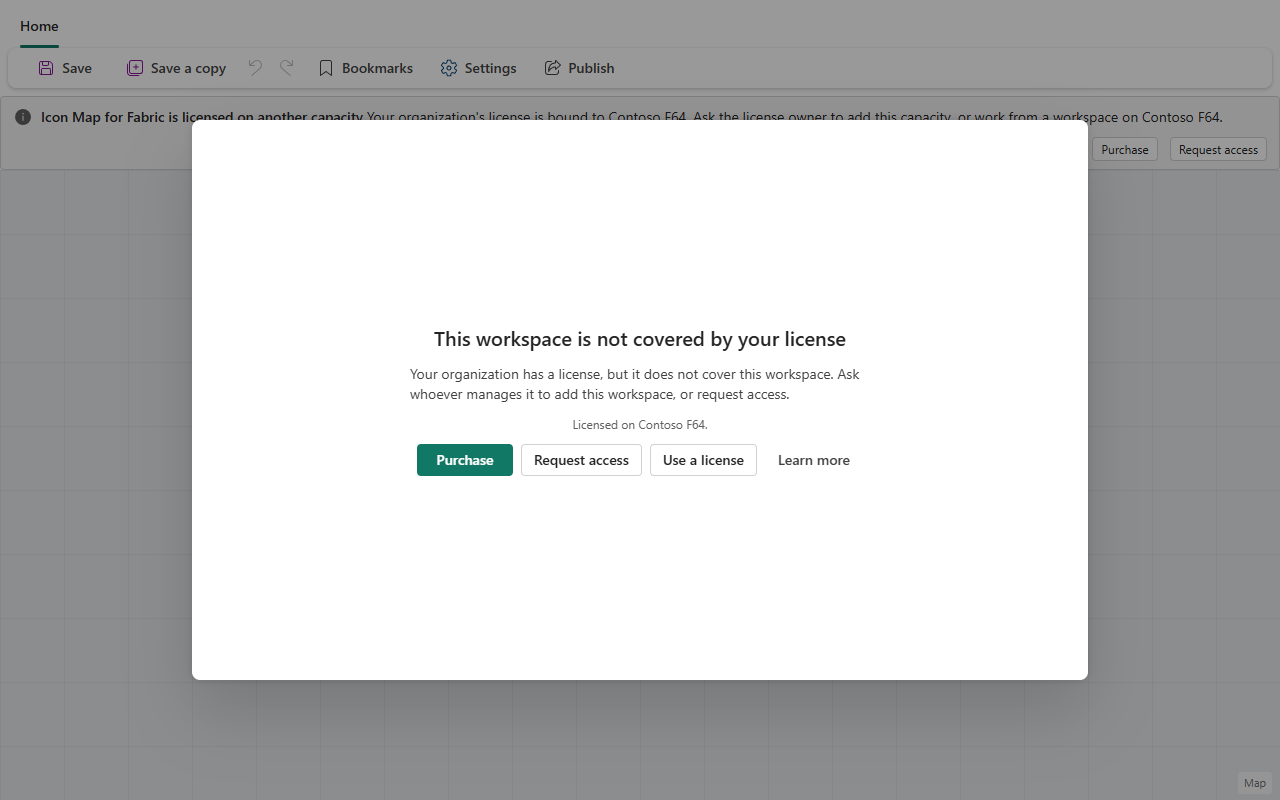
| "This workspace is not covered by your license" | Your organization has a license, but it is assigned to other places. The message names where it is assigned | An owner or license manager selects Manage licenses and adds this workspace or its capacity. Anyone else selects Request access, or works from a covered workspace |
| "Your trial has ended" | The 30-day trial for this workspace is over | Buy or assign a license, or select Request extension |
| "You have already used your free trial" | You started a trial in another workspace, which the message names | Open your maps in that workspace, or request a license for this one |
| "Your license has expired" | The license covering this workspace has lapsed | Renew the license. Owners do this in the portal, see Subscription details. Your maps and data are untouched |
| "Monthly credit limit reached" | The license is in Fixed (hard stop) and its credits and buffer are used up | Owners and license managers select Upgrade plan or Switch to pay as you go. See What happens at a hard stop |
| "License could not be confirmed" | Icon Map could not reach the licensing service to check the license | Check your network, then reopen the item. If the service was reached recently, Icon Map keeps working from the last check and says so |
Licensed on another capacity
When your organization's license is assigned elsewhere, a bar at the top of the item, Icon Map for Fabric is licensed on another capacity, tells you where it is assigned. Owners and license managers see Manage licenses to add the place you are in. Everyone else can select Request access.
Data not shown on the map
Some catalog datasets need a license of their own. When a map uses one your license does not cover, Icon Map leaves it off the map and tells you which layers are affected. Nothing is deleted.
| Message | What it means | What to do |
|---|---|---|
| "Not shown on the map" with "Upgrade for access" | A standard or premium dataset that your plan does not include | Owners select Upgrade to change the plan. See Access tiers |
| "Not shown on the map" with "Commercial dataset, purchased separately" | A commercial dataset your organization has not bought | Buy it in the data store. See Commercial data in Fabric |
| "Some data on this map is not shown" | The license for a commercial dataset has ended, is not held, or is held on a different license from the one used in this workspace | Owners and license managers select Renew, See prices or My data. See Renewal and expiry |