
Free trial
You can try Icon Map for Fabric free for 30 days in one workspace, with no payment details. The trial covers everyone who opens Icon Map items in that workspace.
What the trial includes
- One workspace. The trial covers the workspace you start it in, for everyone who opens Icon Map items there, editors and viewers alike.
- 30 days. The ribbon shows the date the trial ends.
- Almost every feature. You can build maps and share them with colleagues. Publishing and embedding maps are not included. Exported images and videos carry a watermark.
- The Icon Map Catalog. Basic, standard and premium datasets can be added as map tiles. Commercial datasets show their sample preview.
Each workspace and each person can have one trial. A trial cannot be started in a workspace that a paid license already covers, through the workspace, its capacity or your whole organization. An existing Icon Map Pro or Icon Map Slicer license does not cover Icon Map for Fabric.
Start a trial
You need edit rights in the workspace.
- Open or create an Icon Map item in the workspace.
- In Sign up for a free trial of Icon Map for Fabric, select Start trial now. If you close the offer, you can start the trial later from the license message with Start free 30-day trial.
- A message confirms "Your 30-day trial has started."
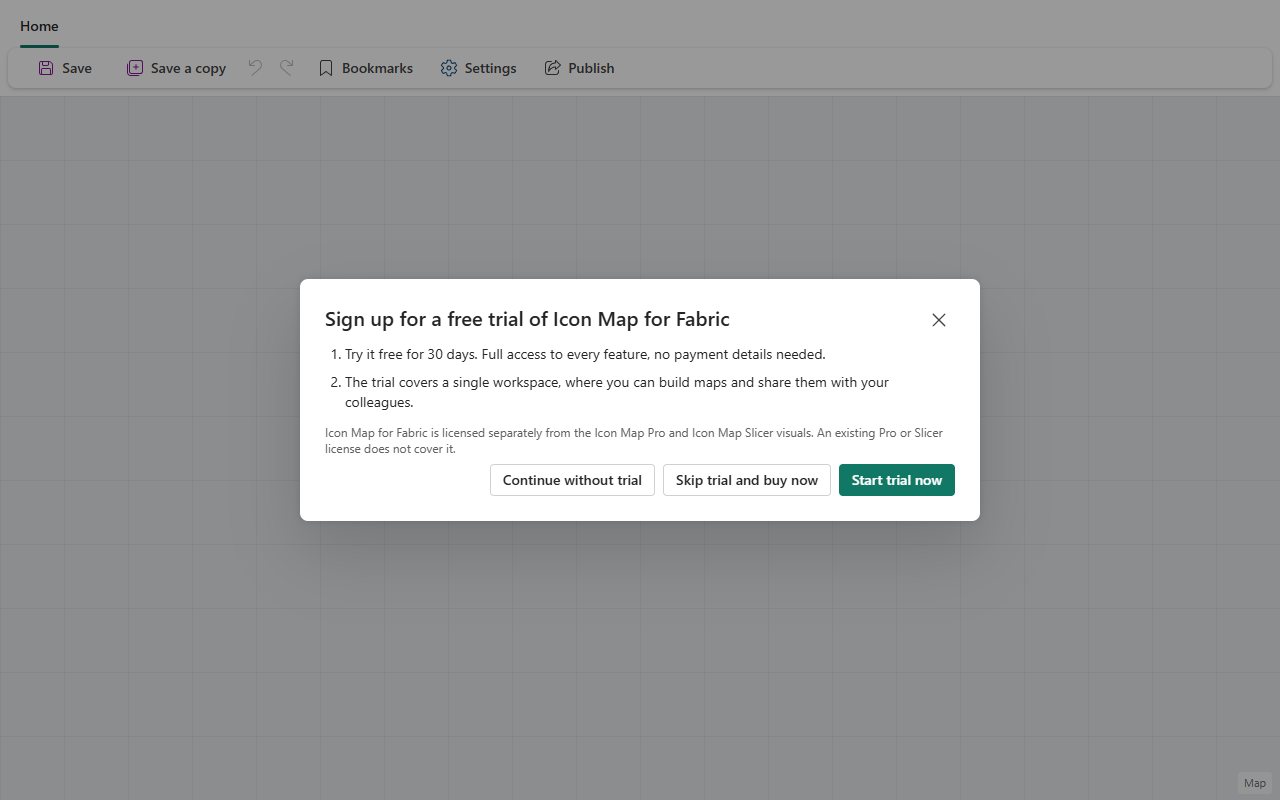
The offer also has Skip trial and buy now, which takes you to buying a license, and Continue without trial, which closes it. The offer appears again the next time you open the item.
During the trial
The ribbon shows Icon Map for Fabric trial valid until the end date. In the last seven days it counts down, for example "Icon Map for Fabric trial ends soon - 5 days to go". Select it to Request extension, Use a license you already have, or Purchase.

Two weeks and three days before the end, a reminder, Your Icon Map for Fabric trial is about to end, offers Continue trial, Request extension and Purchase.
Request an extension
Select Request extension and tell us what you are using Icon Map for, roughly how many people would use it, and when you expect to buy. The first extension adds 30 days straight away. Later requests go to our sales team, who will be in touch. While a request is open, the license message shows who requested it and when.
When the trial ends
When the trial ends, Icon Map items in the workspace show Your trial has ended. Your maps and their data are untouched and stay in your workspace. To carry on:
- Purchase a license. See Buying Icon Map for Fabric.
- If your organization already has a license, ask its owner or a license manager to assign it to the workspace, or select Manage licenses if that is you. See Assigning a license.
- Request extension, if you need more time.
You do not have to wait for the trial to end. As soon as a paid license covers the workspace, Icon Map uses it instead of the trial, because a paid license always takes priority.