
Custom basemaps (.imbase)
A custom basemap replaces the built-in world map with street-level detail for an area you choose: roads, buildings, paths, railways, house numbers and points of interest. You build it as an .imbase file with the Basemap Builder and upload it into the report, so it still draws with nothing downloaded.
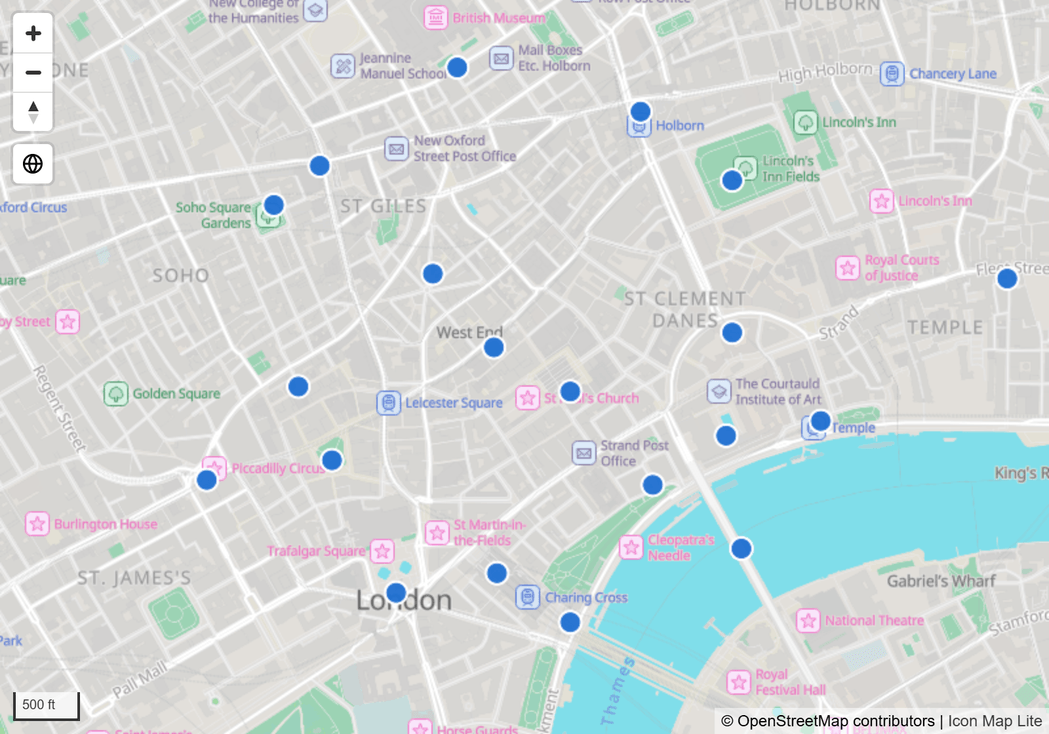
An .imbase file holds a fixed rectangle of the world, and a report can store up to 25 MB of it. If your report can use visuals that connect to online map services, Icon Map Pro and Icon Map Slicer stream detailed basemaps for the whole planet, with nothing to build. Use an .imbase file when the visual must not connect to external services and you still need street detail.
What an .imbase file is
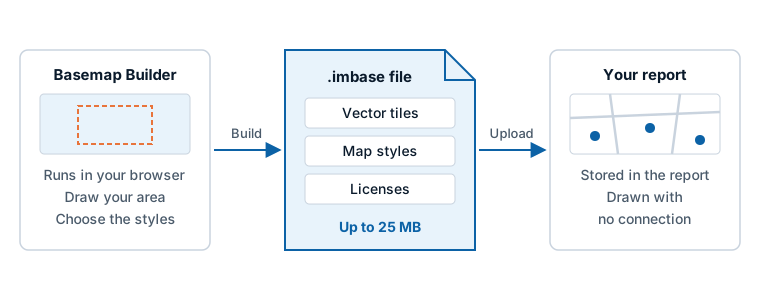
An .imbase file is a single file that holds everything a basemap needs:
- Vector tiles for one area, from zoom level 0 down to street level.
- One or more map styles that say how the tiles are drawn: the colors, line widths and labels.
- The licenses of the data inside it. Every .imbase file must carry them.
It can also carry its own icons and fonts. When it has no fonts, Icon Map Lite draws its text with the Noto Sans font that is built into the visual.
Everything a style uses must be inside the file. A file whose style points at anything outside it is refused when you upload it, so a custom basemap can never make the map reach the internet.
Get an .imbase file
Make one with the Basemap Builder on icon-map.com. It runs in your browser: the file is built on your computer, not on our servers.
- Choose a source of map data.
- Draw a rectangle over the area your report is about.
- Choose the styles and the groups of layers you want.
- Build the file. The builder fits it to the 25 MB a report can store.
The builder offers OpenStreetMap data for anywhere in the world, in two forms (OpenMapTiles and Protomaps), and OS Open Zoomstack for Great Britain.
The landing page of the visual has a Basemap builder button, and the layer guide has a Custom basemap builder link. Both open the same page.
How much area fits
A report can store an .imbase file of up to 25 MB. How much ground that covers depends on the source, on how built-up the area is, and on what you include.
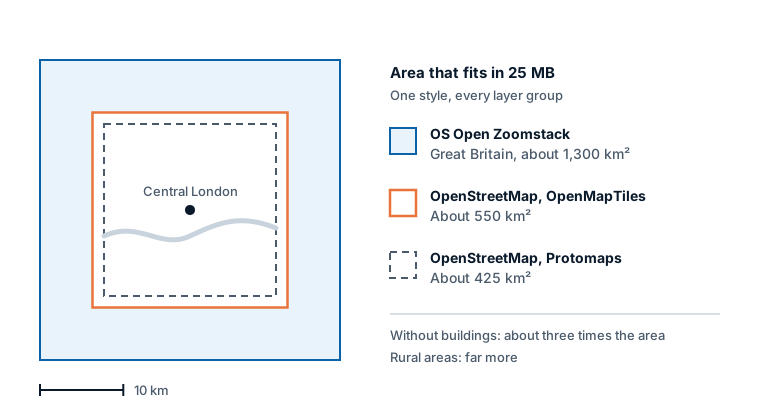
Over central London, with one style and every group of layers, about this much fits:
| Source | Area that fits in 25 MB |
|---|---|
| OS Open Zoomstack (Great Britain) | About 1,300 km² |
| OpenStreetMap, OpenMapTiles | About 550 km² |
| OpenStreetMap, Protomaps | About 425 km² |
To fit a larger area:
- Leave out what you do not need. Buildings are typically 40 to 60% of a city's file. Without buildings, about three times the area fits.
- Pick one style. Each extra style adds to the file.
- Expect more in the country. Rural and remote areas hold far more ground for the same size. An area such as the Lake District, about 80 km across, fits in one file.
Add a custom basemap to your map
- Select the map, and open Format pane > Background Layer > Map.
- Set Background map to Custom. A Custom basemap group appears.
- Switch on Upload basemap file. The upload window opens, and the switch turns itself off again.
- Drop your .imbase file on the window, or click to browse for it. The window shows Checking basemap..., then Storing basemap..., and closes.
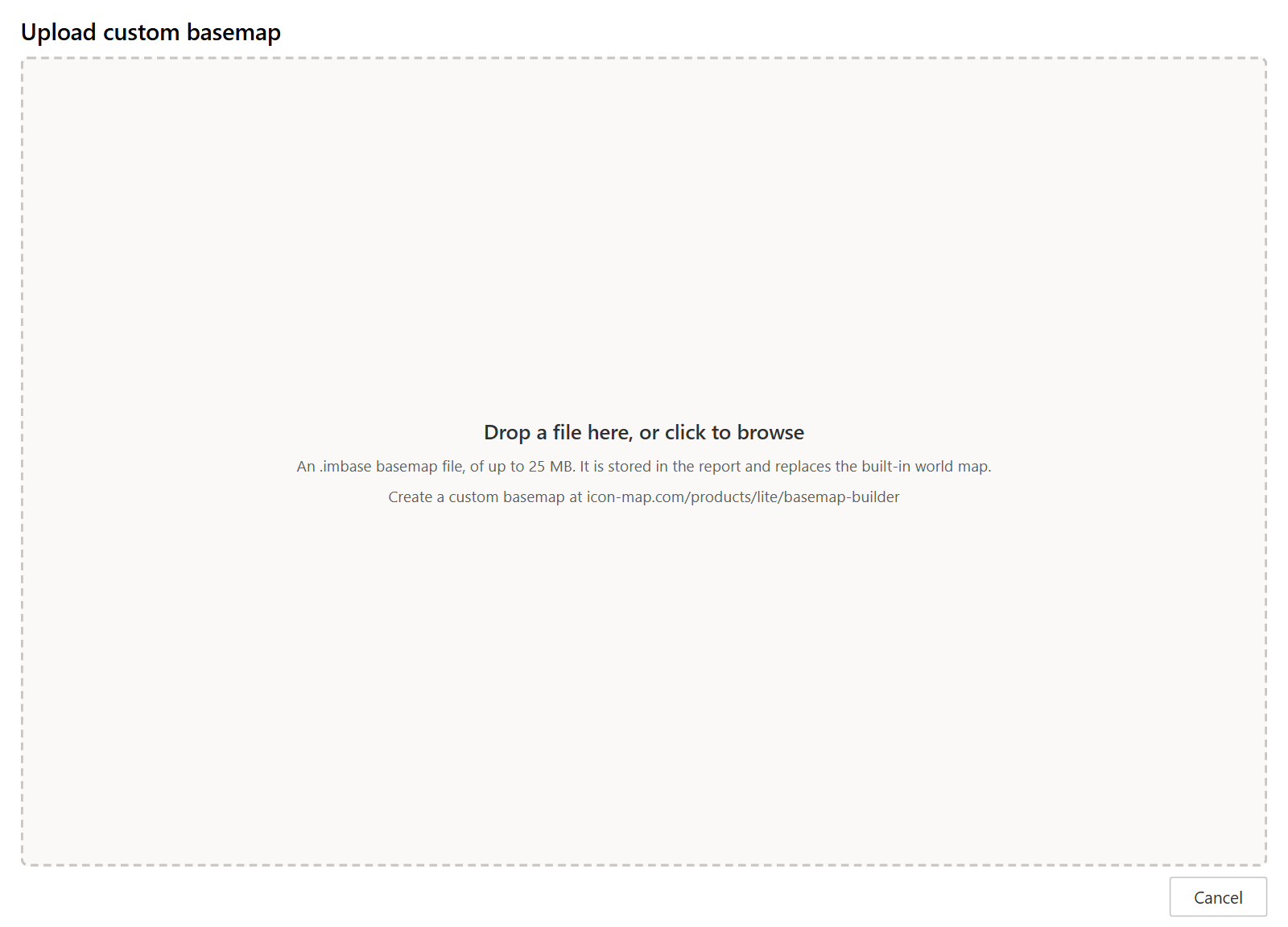
The file is now stored in the report. The Custom basemap group shows the basemap's name and file name, a Style list when the file has more than one style, and a switch for each group of layers in the file.
Until a file is stored, the group shows "Create a custom basemap at icon-map.com/products/lite/basemap-builder", and the map draws no background.
To replace the basemap, switch on Upload basemap file again and choose another file.
The area outside the file
A custom basemap stands alone. The built-in world map is not drawn underneath it, so outside the rectangle the file covers there is no background. Your data still draws there, on a blank map.
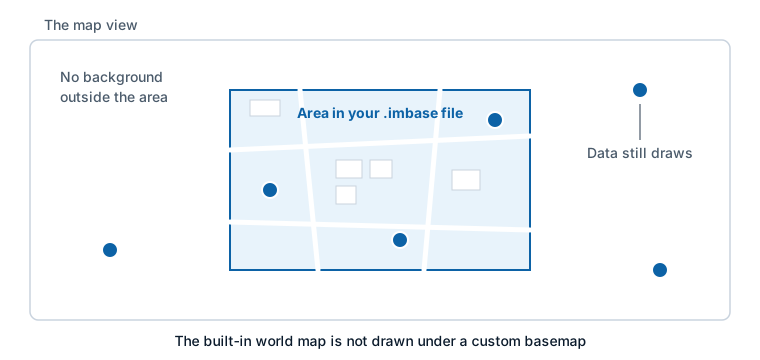
Build the file for the area your report is about, and make the map open there:
- With Auto Zoom on, the map frames your data. If your data lies inside the area, so does the view.
- With Auto Zoom off, set a default view inside the area, and raise Min Zoom Level so readers cannot zoom out far past it.
See View, zoom and projection.
Style and layer groups
Style
When the file has more than one style, for example a light and a dark version, Style chooses between them. It starts on the file's own default style.
The report keeps control of the view. Any center, zoom, tilt, rotation or projection written in the file is ignored.
Layer groups
The Custom basemap group lists a switch for each group of layers the file contains, in the file's order. Every switch is on by default. Only the groups in your file appear:
| Group | What it draws |
|---|---|
| Land cover | Land, parks, woodland and other ground cover |
| Water | Seas, lakes and rivers |
| Roads | The road network |
| Footpaths and cycle paths | Paths, tracks and cycle routes |
| Road names | The names of roads |
| Railways | Railway lines |
| Buildings | Building footprints |
| House numbers | House numbers |
| Place names | The names of towns, districts and neighborhoods |
| Points of interest | Shops, amenities and landmarks |
| Boundaries | Administrative boundaries |
| Contours | Contour lines |
| Power lines and utilities | Power lines and other utilities |
| Terrain | Shaded relief |
The names of the switches are translated by Icon Map Lite into the report language. A group that the chosen style does not draw has no effect.
Resetting the Background Layer card to its defaults resets the style and the switches, and keeps the uploaded file.
If the upload is refused
The upload window checks the file before it stores it. If something is wrong, it says what.
| Message begins | What to do |
|---|---|
| This file is ... MB. The most a report can store is 25 MB. | Build a smaller file: a smaller area, fewer layer groups or one style. |
| This is a PMTiles archive. | A bare PMTiles archive is not a basemap. Build an .imbase file, or upload the archive as a layer: see Shapes from file or Shapes from files. |
| This is not an .imbase basemap. | The file is not an .imbase file. Build one with the Basemap Builder. |
| LICENSE.txt is missing. | An .imbase file must carry the licenses of the data inside it. Rebuild the file. |
| This basemap is format version ... | The file was made for a different version of Icon Map Lite. Rebuild it with the Basemap Builder. |
| The style ... refers to something outside the file. | The style points at an address on the internet. Every part of a style must be inside the file. |
| ... holds images rather than vector tiles. | A custom basemap is drawn from vector tiles. Image tiles cannot be used. |
| The style ... is not a valid MapLibre style. | The style cannot be drawn. Rebuild the file. |
It works the other way round too: an .imbase file given to a layer's upload window is turned away, with a note to choose it under Background Layer, with the background map set to Custom.
If a basemap that was stored earlier cannot be opened, the Custom basemap group shows "The stored basemap could not be opened" and the reason. Upload the file again.
Attribution and licenses
The credit written in the .imbase file is added to the map's credit line. Map data licenses generally require this credit: OpenStreetMap data is under the Open Database License, and OS Open Zoomstack is under the Open Government Licence. Leave the credit in place, and check the license file inside the .imbase file for what your source requires.
Tips and limits
- The file is a snapshot. It does not update as the map data changes. Build and upload a new file when you want newer data.
- It makes the report larger. The file is stored inside the report, adding up to 25 MB, and anyone who can open the report can extract it. Use data whose license allows this.
- High contrast does not replace it. A reader with Windows high contrast on still sees your custom basemap, not the High contrast theme.
- A custom basemap draws in Power BI Desktop and the Power BI service, like the rest of the visual. See Supported environments and privacy.