
Renewal and expiry
A commercial data license lasts 12 months and, when paid by card, renews each year until you cancel it. When a license ends, maps stop showing that data, and a message links straight to renewing it. Using the data from the Icon Map Catalog stops by itself; your copies are never deleted by Icon Map.
Renewal
- Automatic renewal. A license paid by card renews for another 12 months at the same price, until you cancel the renewal.
- Reminders. We email the account 30 days and 7 days before a license ends. The portal's My data page shows licenses ending within 30 days under Needs action.
- Renew or end. For a license that is not renewing automatically, open it from My data and choose Renew for 12 months or Let it end.
- Cancel renewal. On My data, select Cancel renewal. The license carries on to the end of the period you have paid for, then ends.
See Data store and My data for the portal pages.
When a data license ends
When a commercial data license ends, or a dataset is used where your organization does not hold it:
- Icon Map for Fabric leaves the affected layers off the map. When the map opens, one message, Some data on this map is not shown, names each dataset and why: the license ended on a date, your organization does not hold a license for it, or it is held on a different license from the one used in this workspace. Owners and license managers see Renew, See prices and My data. Everyone else is asked to contact their license owner. You can close the message and keep working with the rest of the map.
- Icon Map Pro and Icon Map Slicer check the catalog datasets in a report each time it loads. A commercial dataset whose license has ended is not drawn, and one message lists the layers that are not shown, with a link to renew in the data store.
- The Organizational Catalog marks the purchased dataset License ended. In the 30 days before the end it shows License ends in the number of days. A link added with Add to my catalog stops drawing the data by itself.
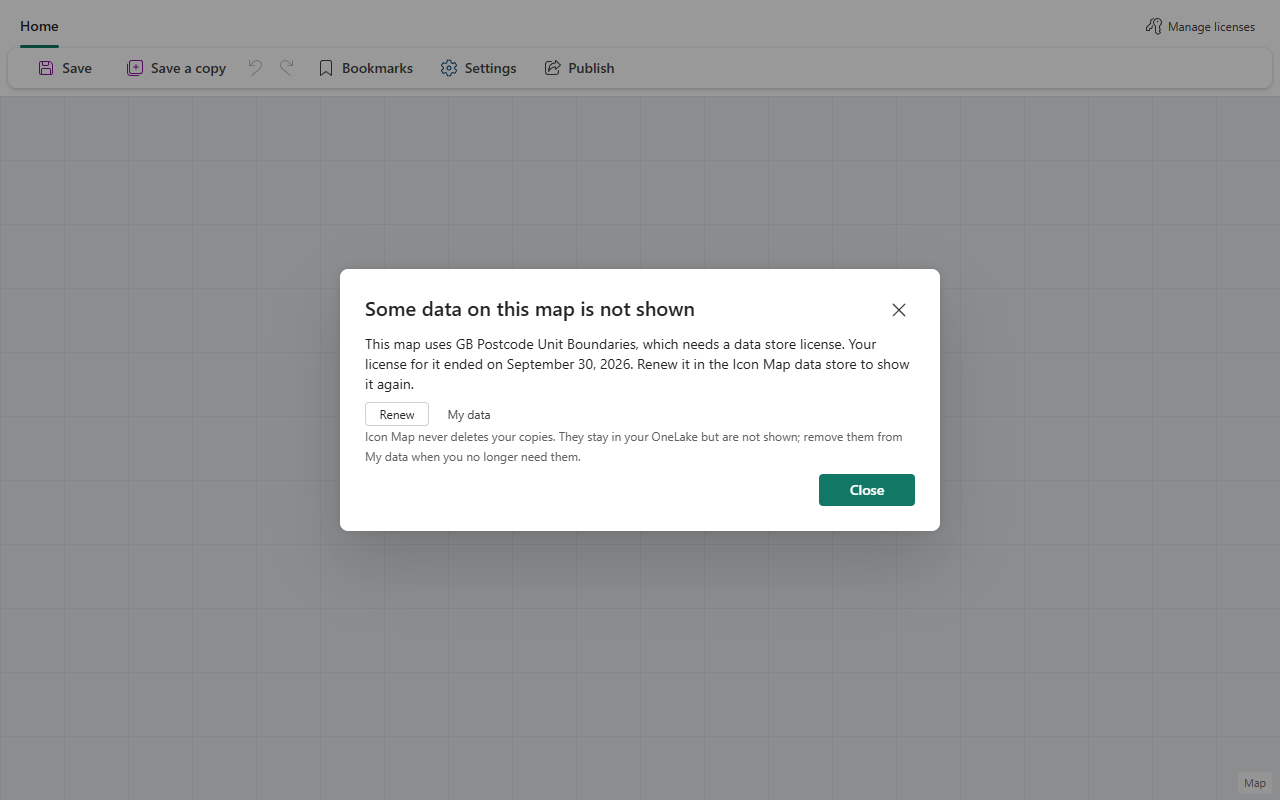
The license still counts on its end date, so the data is shown until the end of that day.
What happens to the catalog version and your copies
Using the data from the Icon Map Catalog stops automatically when the license ends: the whole dataset, the version of your area that Icon Map keeps, and every link to it in your Organizational Catalog. There is nothing for you to delete for these. Icon Map removes the version of your area afterwards.
Copies are different. Icon Map never deletes anything from your OneLake, lakehouse or computer, so a downloaded file, and anything you loaded into a lakehouse from it, stays where it is.
The data license you accepted says what you must do with copies when the license is not renewed. If you let a license end, remove the files you downloaded, any lakehouse tables or files you loaded from them, and anything else made from them that still contains the data, then confirm this on the dataset's page in My data with Confirm the data has been removed. Links in your Organizational Catalog are not on that list, because they are not copies.