
Customer Portal
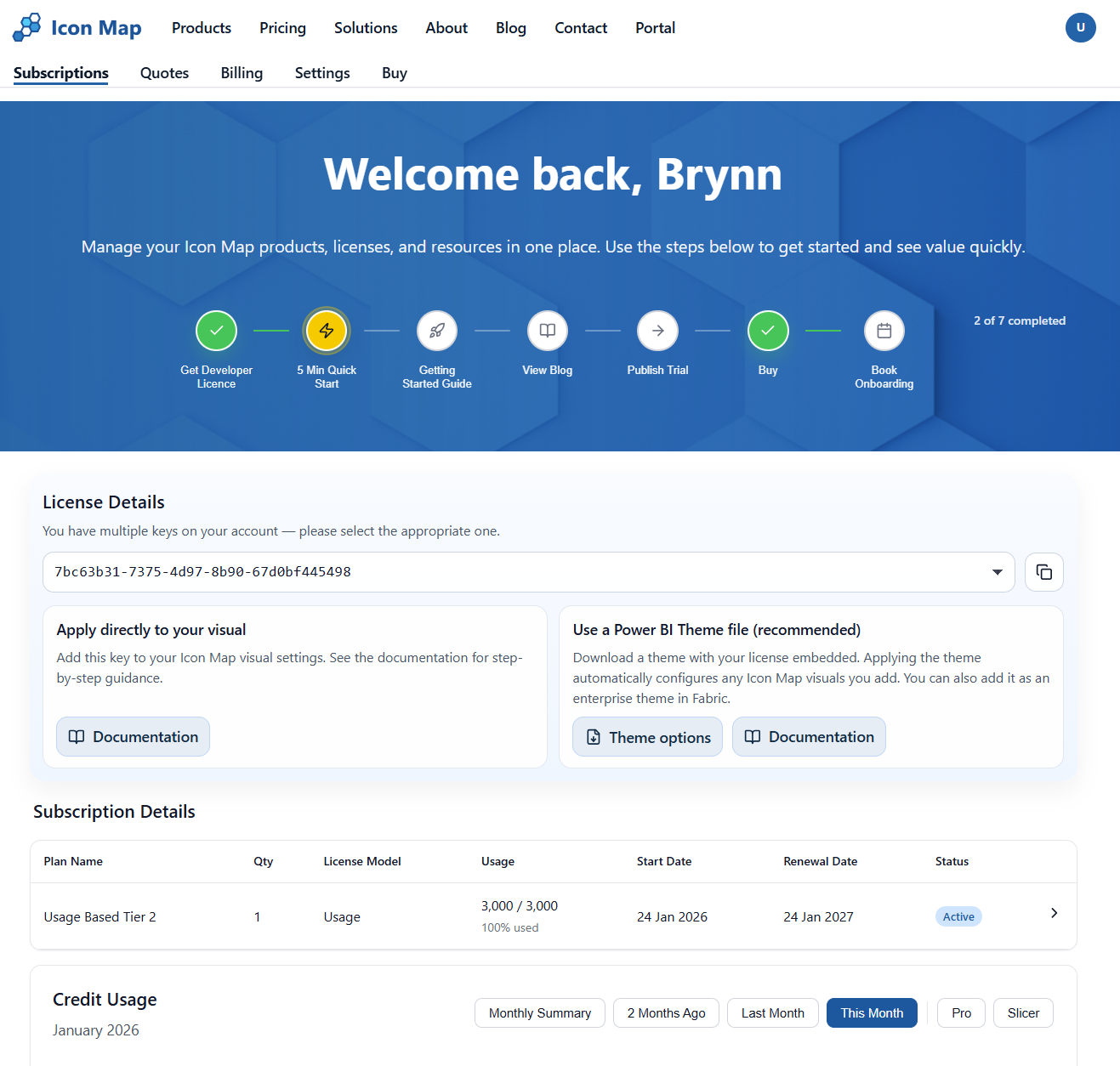
The Icon Map Customer Portal is the place to manage your Icon Map subscription(s), licence key(s), billing details, quotes, and usage reporting.
Key Features
- Subscription Management - View and manage your Icon Map subscriptions, including developer licenses, usage-based plans, and enterprise agreements
- License Management - Generate and manage license keys, download Power BI themes with embedded keys
- Usage Monitoring - Track credit usage with interactive charts and forecasting
- Quotes & Billing - Request quotes, view billing history, and download invoices
- Team Management - Add team members and control access permissions
Getting Started
New to the Customer Portal? Here's where to begin:
- Accessing the Portal - Learn how to sign in and manage account access
- Subscriptions & Usage - Understand the home page, license details, and credit usage
- Buying a License - Explore the different licensing options
Quick Links
- Subscription Details - Managing upgrades, cancellations, and AppSource subscriptions
- Quotes & Billing - Request quotes and view billing history
- Settings - Manage your profile, billing details, and team members
- Tools - Data-prep utilities like Address geocoder and Travel isochrones