
Subscription Details
When you click a subscription in the table it will display additional details of the subscription.
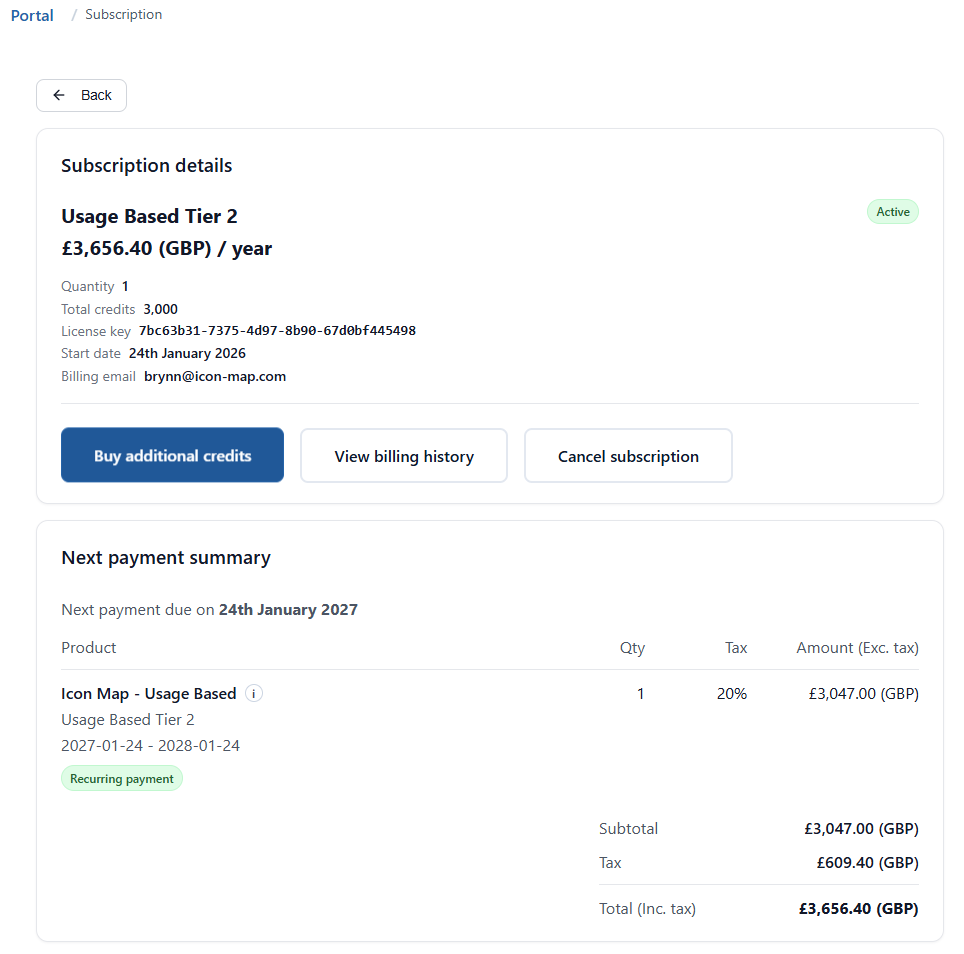
If this subscription has been purchased via the portal then you will see the following options.
Buy Additional Credits
For Paddle-managed usage subscriptions, Buy additional credits takes you to an "Amend subscription" flow where you can increase tier or quantity. The screen will automatically suggest what tier you require based on your current forecast shortage. This can be amended as desired, before clicking Update subscription now. At this point the subscription will be updated, and Paddle will automatically charge a prorated adjustment amount to the existing term.
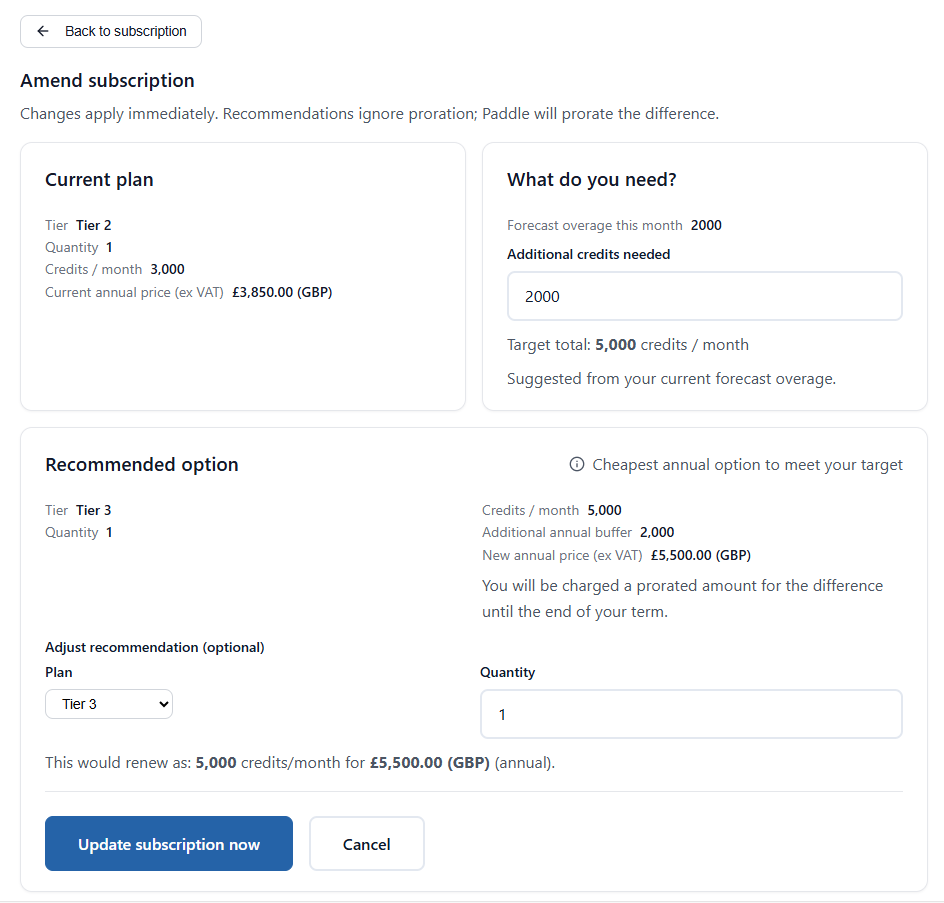
:::note Automatic Upgrades The system will automatically upgrade you as soon as you utilise your entire buffer and have no credits remaining. :::
:::note Downgrading It is only possible to upgrade a subscription, not downgrade it. If you wish to downgrade you can cancel the existing plan and then renew on a lower tier at the end of the subscription term. :::
View Billing History
For Paddle-managed subscriptions, you can click View billing history to see payments and download invoice PDFs.
Cancellations
For Paddle-managed subscriptions you can opt to cancel your subscription by clicking Cancel subscription. This will take effect at the end of the current subscription term - it effectively disables the automated renewal, and the licence will remain available for the rest of the term.
Once cancelled you will see a warning banner with a button to reverse the decision to cancel if required.
AppSource-Managed Subscriptions
If a subscription was purchased outside of the portal, either via Microsoft AppSource or directly from Tekantis, the portal will still show details for the following subscription types:
- Usage Based (including the old Embedded and Publish to Web plans)
- Capacity Based
- Enterprise Licences
If you wish to move the subscription across to be managed within the portal please contact support@tekantis.com
:::note User-Based Licensing The portal does not currently show details of user-based licensing. Please go to the Microsoft 365 Admin Portal to see and manage these licences. :::