
Quotes & Billing
Requesting a Quote
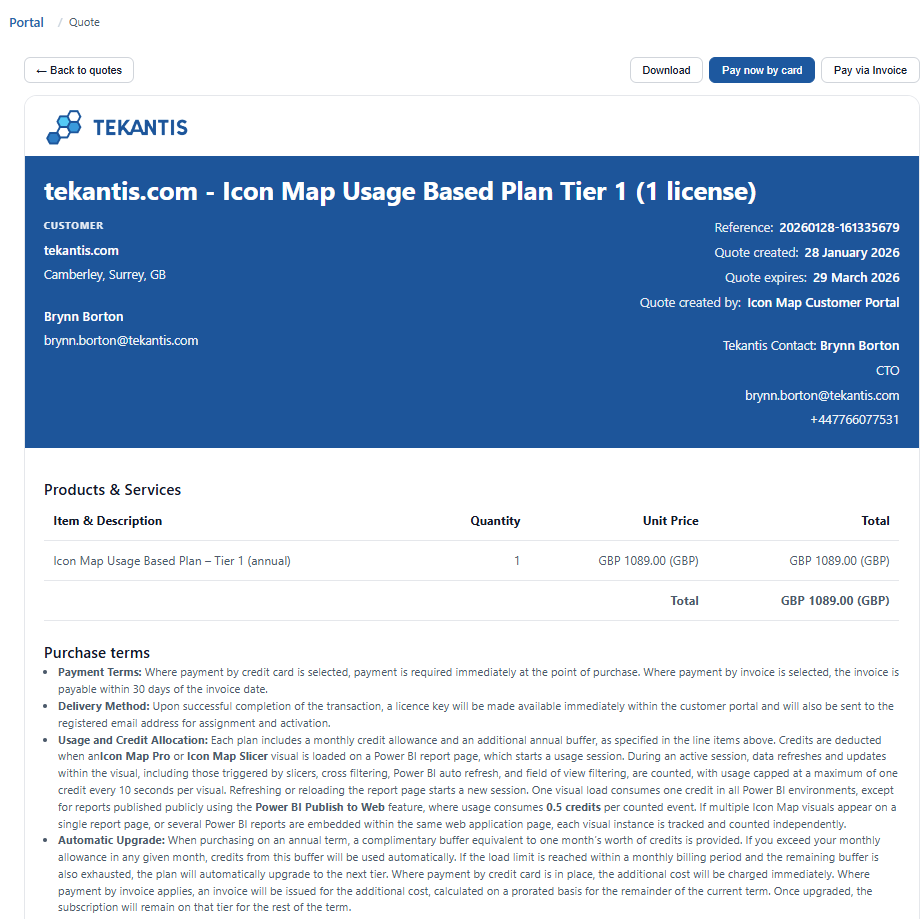
If you need a formal document for internal approvals you can simply click the Request quote button when viewing a pricing plan. You will be taken to the quote page where you can download the PDF and share it internally.
The quote page also contains payment buttons to make it easy for you to purchase the quote once approved.
Managing Quotes
The Quotes area is for managing formal quotations you have previously created. You will see two lists:
- Open Quotes (not expired)
- Past Quotes (expired or completed)
Click on a quote to see the quotes page where you can:
- Download the quote as a PDF
- Pay now by card
- Pay via Invoice (approval may be required - see Buying a License)
Billing History
The Billing History page lists recent payments and lets you download invoice PDFs.
:::warning Important Limitations
- Only Paddle billing is shown here (usage-based purchases made through the portal)
- If you purchased via Microsoft AppSource, billing and invoices are managed by Microsoft and are outside the scope of the portal :::